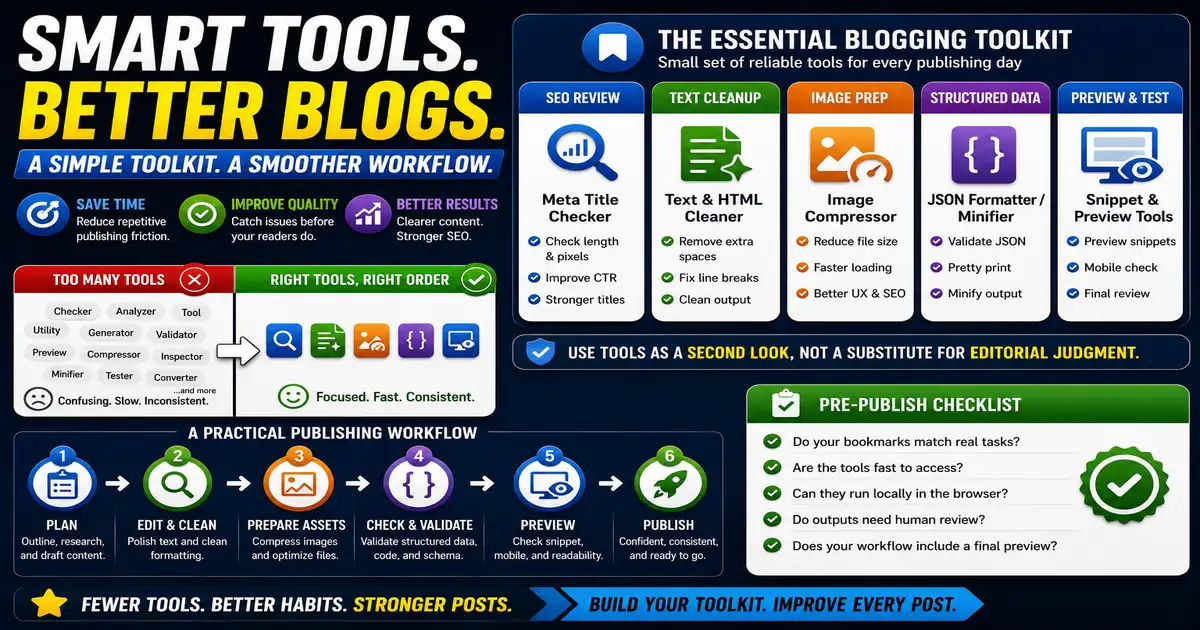
Blogging involves more than writing paragraphs. A normal publishing workflow may include checking titles, cleaning text, resizing images, creating tracking links, previewing snippets, and validating structured data. This matters for bloggers, solo publishers, editors, and small content teams because small publishing decisions compound across a site over time.
The Core Idea
The core idea is simple: a small set of reliable browser-based tools can reduce repetitive publishing friction without adding complex software. When this idea is applied consistently, the page feels more intentional and the publishing process becomes less dependent on memory or guesswork.
Why It Matters in Practice
Before publishing a tutorial, a blogger might check the meta title, preview the search snippet, compress the featured image, clean extra spaces, and generate FAQ schema from visible questions.
This is where local tools are useful. They give you a fast way to check one detail without opening a large application or sending your content through an external service. For a focused hands-on check, use the Meta Title Checker, Image Compressor and JSON Formatter / Minifier while reviewing the page.
A Practical Step-by-Step Workflow
The best bookmarked tools are the ones tied to repeatable publishing moments.
- Use metadata tools during SEO review.
- Use text cleanup tools after editing.
- Use image tools before uploading visuals.
- Use developer utilities when checking code or structured data.
- Use generators for supporting assets such as robots.txt or lorem ipsum.
- Group bookmarks by workflow stage.
This workflow can be added to a publishing checklist, a content brief, or a personal editing routine. The exact order may change from one project to another, but the habit of checking before publishing is what protects quality over time.
Practical Example
A practical bookmark folder might include one metadata checker, one text cleanup tool, one image compressor, one structured data generator, and one preview tool. That is enough to support most publishing days without clutter.
Common Mistakes to Avoid
When optimizing this element in your drafts, review the final output carefully to avoid errors that compromise readability and search presentation. Watch for these specific mistakes:
- Bookmarking too many tools without a workflow.
- Using tools as a substitute for editorial judgment.
- Skipping final preview after tool output.
- Forgetting mobile checks.
- Relying on external services for tasks that can be done locally.
Pre-Publish Checklist
Review this focused checklist before publishing your work to ensure all details are correct:
- Save links to fast local checkers for daily metadata tasks.
- Bookmark formatting utilities for clean code editing.
- Use secure browser-based tools that keep inputs local.
- Check sitemaps and search previews before site launches.
A Small Workflow Tip
Review your tool bookmarks every few months. Remove tools you no longer use and move the essential ones into workflow folders such as planning, editing, images, SEO, and technical checks. A lean bookmark set is faster than a huge collection, and it encourages consistent quality checks before each post goes live.