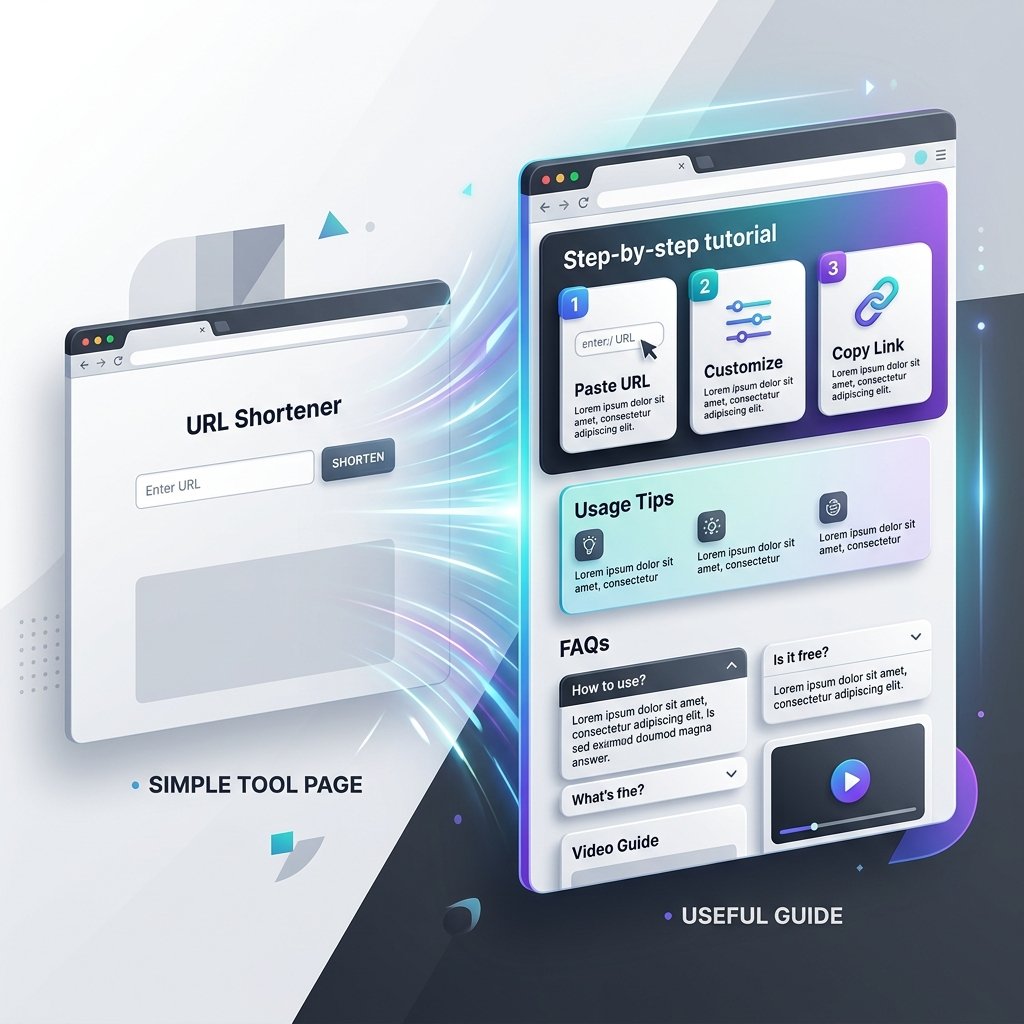
Single-page utilities and online calculators are popular because they solve specific problems quickly. You enter some input, click a button, and get an instant output. However, search engines and ad networks like Google AdSense frequently flag basic tool sites as "Low Value Content." This happens when a page features only a simple input box and a button, without any explanation, context, or instructions.
To build a high-quality site that ranks well and passes AdSense review, you must transform your tool pages into useful educational guides. Adding structured descriptions, step-by-step instructions, examples, and technical limitations shows search evaluators that your page offers genuine value beyond a basic script. Here is a practical workflow to upgrade your tool pages.
1. State the Direct Purpose and Use Case Immediately
When a user lands on your tool page, they should instantly understand what the tool does and who it is built for. Do not force users to scroll past lines of generic text to find the input form; place the tool form at the top, but follow it with clear, contextual explanations.
- Explain the 'Why': If your page hosts a character counter, explain why character limits matter. For instance, note that meta titles get truncated after roughly 60 characters, making a Character Counter essential for SEO drafting.
- Describe target audience: State whether the tool is optimized for bloggers, programmers, students, or copywriters. This narrows down the user intent and makes the page more targeted.
2. Provide Realistic Examples of Input and Output
Many users fail to use online tools correctly because they do not know what format the tool expects. Adding a pre-filled "Load Example" button or a visual table of inputs and outputs improves both user experience and content depth.
For example, if your tool is a text-formatting utility, write a brief guide explaining how the text is processed. Show an example of how raw copy with excessive line breaks is cleaned, or how text is converted. Providing these clear inputs and outputs helps search crawlers understand what kind of data your tool handles, which aids in semantic indexing.
3. Interactive Elements & Real-Time Formatting Feedback
To increase the value of your utility, design it to provide immediate, visual feedback. Simple output boxes are functional, but real-time validation makes the page feel alive and keeps users on the page longer. For example, if a blogger is testing a headline, the page should show a live snippet preview of how it looks in mobile search results.
If you build formatting tools, design them to show exactly what was changed. For instance, a cleanup tool should display a badge showing "3 extra spaces removed" or "heading structure validated." This immediate confirmation helps non-technical site owners verify that their inputs were processed correctly and encourages them to test more copy, extending their on-page session duration naturally.
4. Outline Technical Limitations and Best Practices
No tool is perfect for every scenario. Documenting the boundaries of your tool builds credibility with your users and adds original editorial content that AI template generators usually omit.
Be honest about what your utility cannot do. For instance, if you provide a tool that estimates copy length or calculates reading flow, like a Reading Time Calculator, clearly state that it uses a default average speed (such as 225 words per minute) and that actual reading speeds vary by audience. Adding a "Limitation and Disclaimer" section prevents users from misinterpreting data and shows search crawlers that your content is written by responsible experts.
5. Address Real User Doubts with a Visible FAQ Section
Frequently Asked Questions (FAQs) are an excellent way to capture long-tail search traffic and address immediate reader concerns. However, do not write generic questions that repeat information. Focus instead on practical troubleshooting.
If you host a utility like our Word Counter, add FAQs that explain how formatting characters or spaces affect the count, or how different word processors measure length differently. Once you write these FAQs, you should generate structured markup using an automated tool, such as our FAQ Schema Generator, to display rich snippets in search results. Make sure that any FAQ schema you add matches the text visibly rendered on the page.
Key Tool Guide Elements to Implement
How-To Guide
Key GoalStep-by-step instructions
Example Content1. Paste text. 2. Select parameters. 3. Copy output.
Limitations
Key GoalManage user expectations
Example ContentThis tool does not store your files on our server.
SEO Context
Key GoalConnect tool to broader task
Example ContentWhy title length affects CTR in Google SERPs.
Mistakes to Avoid When Upgrading Tool Pages
- Keyword Stuffing: Do not repeat "free character counter online" fifty times in the footer. Use natural phrasing and keep keyword density low.
- Hiding content in accordion tabs: Search engines may index hidden text less effectively, and users might miss it. Keep your core instructions and limitations visible by default.
- Using duplicated guides: If you have multiple similar tools (e.g., a word counter and a character counter), do not use the exact same guide text for both. Write distinct content tailored to the specific user intent of each tool.
By treating each online utility as a comprehensive guide rather than a bare-bones calculator, you respect your visitors' time and build a high-quality site that meets search engine expectations and AdSense standards easily.
6. Tracking User Engagement and Iterating Guides
Once your tool page guide is published, your workflow is not complete. You should monitor visitor behavior to see how they interact with your guides. Use basic analytics to track average session duration on your utility URLs. If users land on the page and leave within five seconds, it means they are either not finding the tool easy to use, or the written guide below is not engaging.
Try moving key tips higher up, adding bold highlights, or formatting step-by-step points in bulleted lists to make them easier to scan. You can also run quick manual checks using a companion Reading Time Calculator to ensure your description matches the average attention span of your readers. Continually updating your guides based on real usage data builds a high-value website that readers will bookmark and return to regularly.