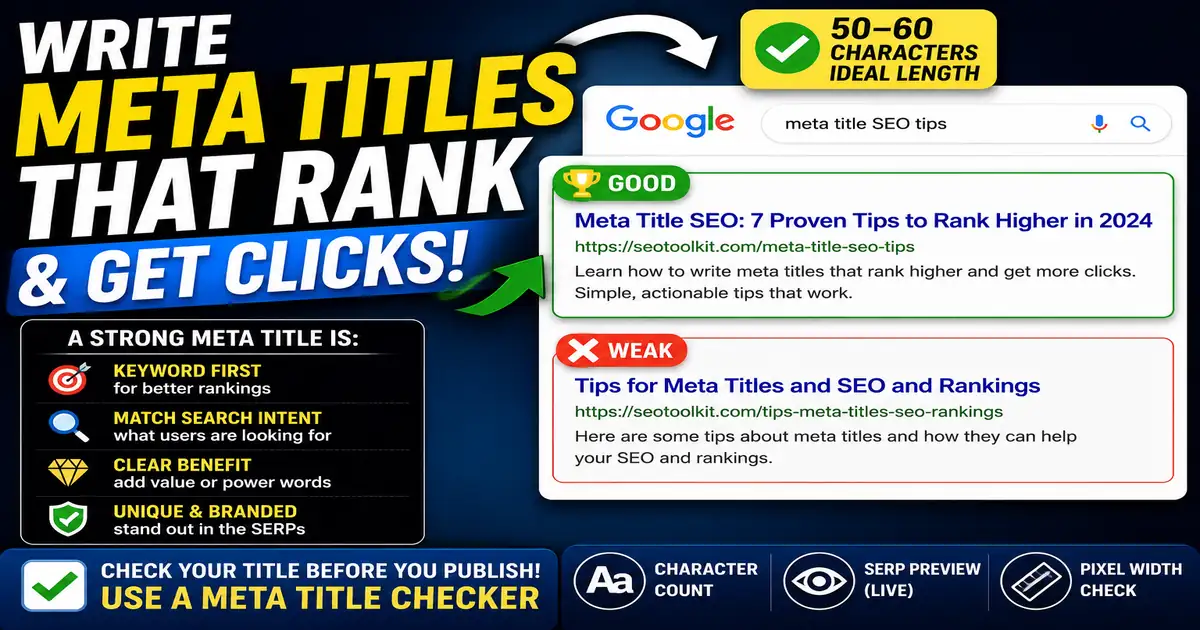
If you are new to search engine optimization, the sheer number of technical terms can be overwhelming. However, one of the simplest and most powerful elements you can control is the meta title. Also known as a title tag, this HTML element serves as the digital front door to your web page. When users search for a query on Google, the blue clickable link they see is your meta title.
What Exactly is a Meta Title?
A meta title is a line of code placed in the header of your website's HTML. It looks like this: <title>Your Page Title Here</title>. While it doesn't appear on the actual page content itself, it is displayed in three key places: the search engine results page (SERP), browser tabs, and when your link is shared on social media networks.
Why Does It Matter for SEO?
Meta titles are a primary signal search engines use to determine the topic of your page. If a search engine understands what your page is about, it can rank it for the correct search queries. More importantly, your title tag is what convinces users to click. A well-written title can double your traffic even without moving your ranking position, simply by improving your click-through rate (CTR).
Three Golden Rules for Beginners
- Keep it under 60 characters: Search engines have visual pixel limits. Keeping titles between 40 and 60 characters ensures they won't get cut off in search results.
- Include your main keyword: Place the primary keyword you want to rank for near the start of the title. This makes it instantly clear to both searchers and search crawlers.
- Write for humans first: Avoid keyword stuffing (e.g., "Best Shoes, Buy Shoes, Cheap Shoes"). Instead, write a natural, appealing sentence that describes the page accurately.
Beginner Mistakes to Avoid
- Using the same title everywhere: Every single page on your site must have a unique title. Duplicate titles confuse search engines.
- Ignoring browser tab view: Keep the first few words descriptive so users can easily find your page when they have multiple browser tabs open.
Before publishing your next article, make sure to test your headline using the Meta Title Checker to verify it looks perfect and fits within Google's display limits.