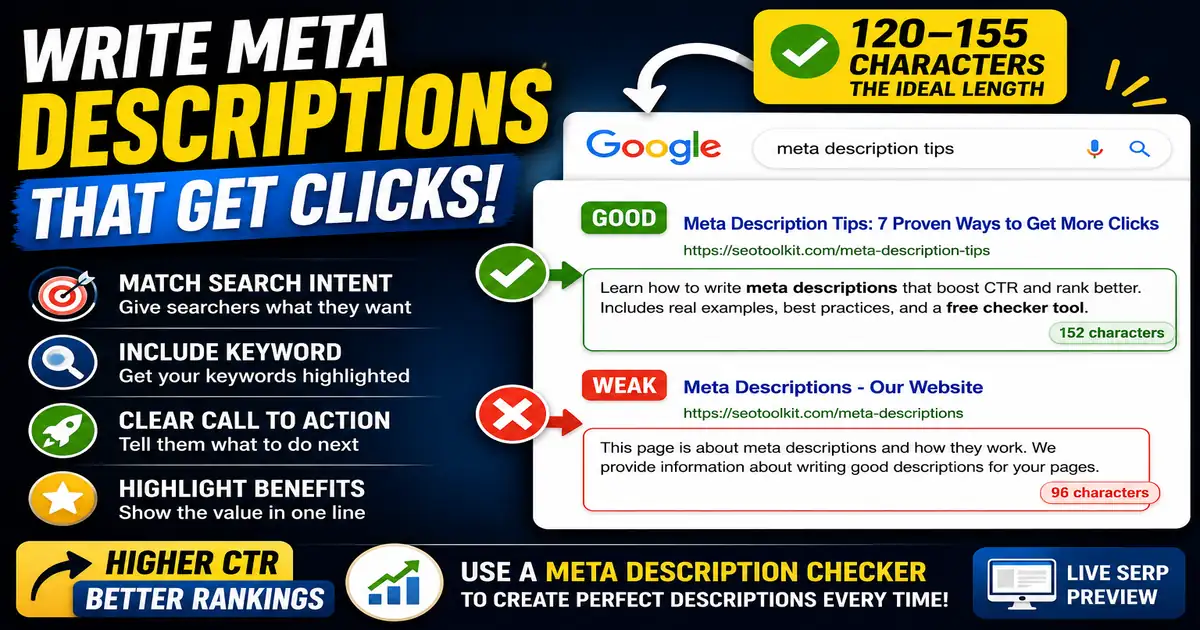
A meta description is a short summary of a web page that search engines display under the page title. Although Google has confirmed that meta descriptions are not a direct ranking factor, they are a powerful tool for attracting clicks. To write descriptions that convert searchers into visitors, you must understand the technical limits of how snippets are rendered.
Understanding Search Snippet Truncation
Search engines do not measure descriptions by character count; they measure them by pixels. On desktop screens, Google allows up to 960 pixels (roughly 155 to 160 characters). On mobile screens, the space is smaller, allowing about 680 pixels (roughly 115 to 120 characters). If your description exceeds these boundaries, Google will truncate it, replacing the end of your sentence with an ellipsis (...).
Desktop vs. Mobile Safe Zones
Because mobile search traffic now accounts for more than half of all web queries, writing descriptions that work on both platforms is essential. The safest practice is to front-load your most important information and primary keywords in the first 110 characters. This ensures that even if Google truncates the description on mobile devices, the most persuasive part of your message remains visible.
Practical Tips for Safe Snippets
- End with complete sentences: Avoid truncation in the middle of a word or sentence. A complete thought looks more professional and trustworthy.
- Use action-oriented language: Encourage the user to take action (e.g., "Find out how...", "Learn the steps...", "Discover why...").
- Avoid special symbols: Google sometimes strips out characters like quotation marks, ampersands, or brackets. Stick to alphanumeric characters.
When Google Rewrites Your Snippet
Even if you write a perfect description, Google may choose to display a snippet extracted from your page text instead. This happens if Google feels your meta description doesn't accurately answer the user's specific search query. To minimize this, ensure your description matches the search intent of the keywords you target.
You can visually test how your descriptions look on both screen sizes using the Meta Description Checker and the SERP Snippet Preview tools.