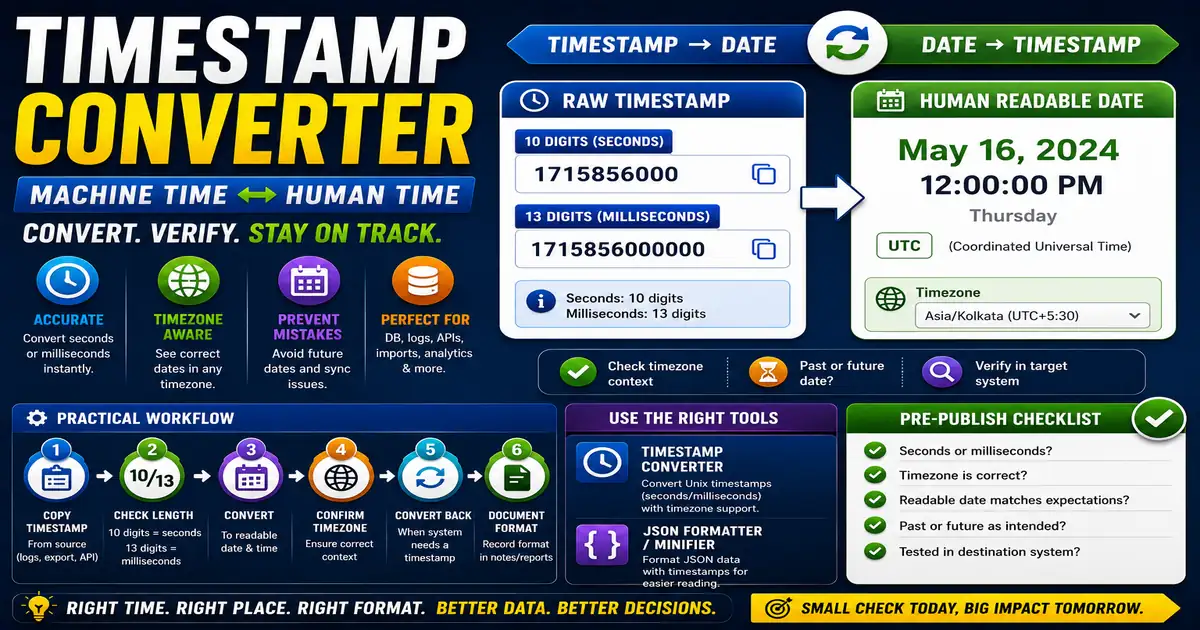
A timestamp is a compact way to represent a moment in time. Unix timestamps count seconds or milliseconds from a standard starting point, which makes them useful in databases, logs, APIs, and imports. This matters for bloggers, developers, analytics users, and site managers checking dates because small publishing decisions compound across a site over time.
The Core Idea
The core idea is simple: timestamp conversion turns machine-friendly time into human-readable dates and back again. When this idea is applied consistently, the page feels more intentional and the publishing process becomes less dependent on memory or guesswork.
Why It Matters in Practice
A content export may show publish dates as numbers instead of readable dates. Converting them helps verify whether scheduled posts, comments, or analytics events line up correctly.
This is where local tools are useful. They give you a fast way to check one detail without opening a large application or sending your content through an external service. For a focused hands-on check, use the Timestamp Converter and JSON Formatter / Minifier while reviewing the page.
A Practical Step-by-Step Workflow
First identify whether the timestamp is in seconds or milliseconds, because confusing them can produce strange dates.
- Copy the timestamp from the source.
- Check whether it has 10 digits or 13 digits.
- Convert it to a readable date.
- Confirm the timezone context.
- Convert a readable date back when a system needs a timestamp.
- Document the format used in imports or reports.
This workflow can be added to a publishing checklist, a content brief, or a personal editing routine. The exact order may change from one project to another, but the habit of checking before publishing is what protects quality over time.
Practical Example
A scheduled post import may include 13-digit millisecond timestamps. If the importer expects seconds, the dates can land far in the future unless the values are converted correctly.
Common Mistakes to Avoid
When optimizing this element in your drafts, review the final output carefully to avoid errors that compromise readability and search presentation. Watch for these specific mistakes:
- Mixing seconds and milliseconds.
- Ignoring timezone differences.
- Assuming every system stores local time.
- Editing timestamps manually without checking results.
- Using future dates by accident in scheduled content.
Pre-Publish Checklist
Review this focused checklist before publishing your work to ensure all details are correct:
- Convert Unix epoch timestamps to readable date formats.
- Check server time zone offsets before date comparisons.
- Convert localized user dates back to standard epoch times.
- Format date values consistently in schema markup blocks.
A Small Workflow Tip
When recording converted dates, include the timezone next to the readable value. A timestamp may be exact, but the displayed date can shift depending on where it is viewed. This matters for publish schedules, log reviews, analytics events, and bug reports where one hour can change the interpretation.