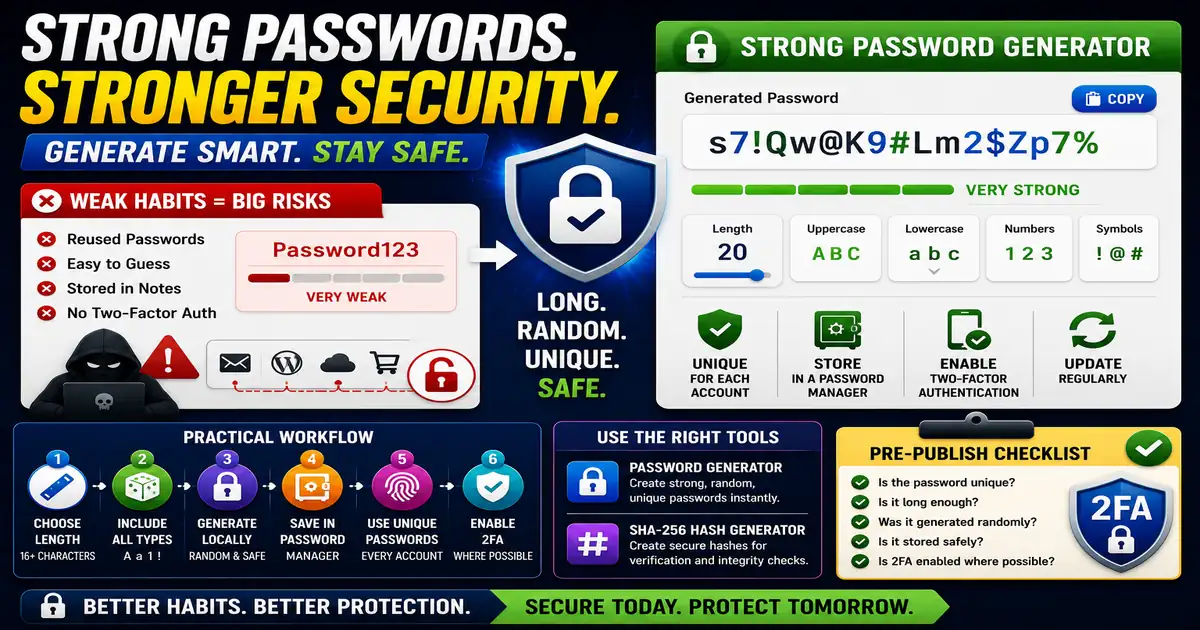
Password habits matter because reused or predictable passwords can expose multiple accounts at once. A generator helps create passwords that are harder to guess than human-made patterns. This matters for everyday web users, bloggers, site owners, and small teams because small publishing decisions compound across a site over time.
The Core Idea
The core idea is simple: a good password is long, random, unique, and stored safely in a trusted password manager. When this idea is applied consistently, the page feels more intentional and the publishing process becomes less dependent on memory or guesswork.
Why It Matters in Practice
A blogger may have accounts for hosting, analytics, email, social media, and a CMS. Reusing one memorable password across those services creates unnecessary risk.
This is where local tools are useful. They give you a fast way to check one detail without opening a large application or sending your content through an external service. For a focused hands-on check, use the Password Generator and SHA-256 Hash Generator while reviewing the page.
A Practical Step-by-Step Workflow
Use a generator when creating or replacing passwords, especially for important accounts.
- Choose a strong length such as 16 characters or more.
- Include uppercase, lowercase, numbers, and symbols where allowed.
- Generate the password locally.
- Save it in a password manager.
- Use a unique password for each account.
- Enable two-factor authentication on important services.
This workflow can be added to a publishing checklist, a content brief, or a personal editing routine. The exact order may change from one project to another, but the habit of checking before publishing is what protects quality over time.
Practical Example
A small editorial team can use unique generated passwords for hosting, analytics, and admin accounts. If one service is compromised, the same password cannot be reused elsewhere.
Common Mistakes to Avoid
When optimizing this element in your drafts, review the final output carefully to avoid errors that compromise readability and search presentation. Watch for these specific mistakes:
- Reusing the same password across sites.
- Creating predictable substitutions such as P@ssword123.
- Storing passwords in plain notes.
- Sharing passwords in chat messages.
- Ignoring two-factor authentication.
Pre-Publish Checklist
Review this focused checklist before publishing your work to ensure all details are correct:
- Combine uppercase, lowercase, numbers, and symbols.
- Avoid using easily guessed personal details in passwords.
- Generate unique passwords for every online account.
- Save complex passwords in a secure local password manager.
A Small Workflow Tip
Treat password updates as part of account maintenance, not only an emergency response. When a team member leaves, a service changes ownership, or a shared workflow becomes private, generate new credentials and store them properly. Strong passwords are most useful when paired with good access habits.
Also review who has access to the place where passwords are stored. A strong password loses value if too many people can view, export, or share it without a clear reason.