Internal links connect related pages on your site. Anchor text, the clickable words in a link, tells readers what to expect before they click. This matters for bloggers, SEO editors, and website owners improving site navigation because small publishing decisions compound across a site over time.
The Core Idea
The core idea is simple: good anchor text is descriptive enough to be useful without forcing exact-match keywords into every sentence. When this idea is applied consistently, the page feels more intentional and the publishing process becomes less dependent on memory or guesswork.
Why It Matters in Practice
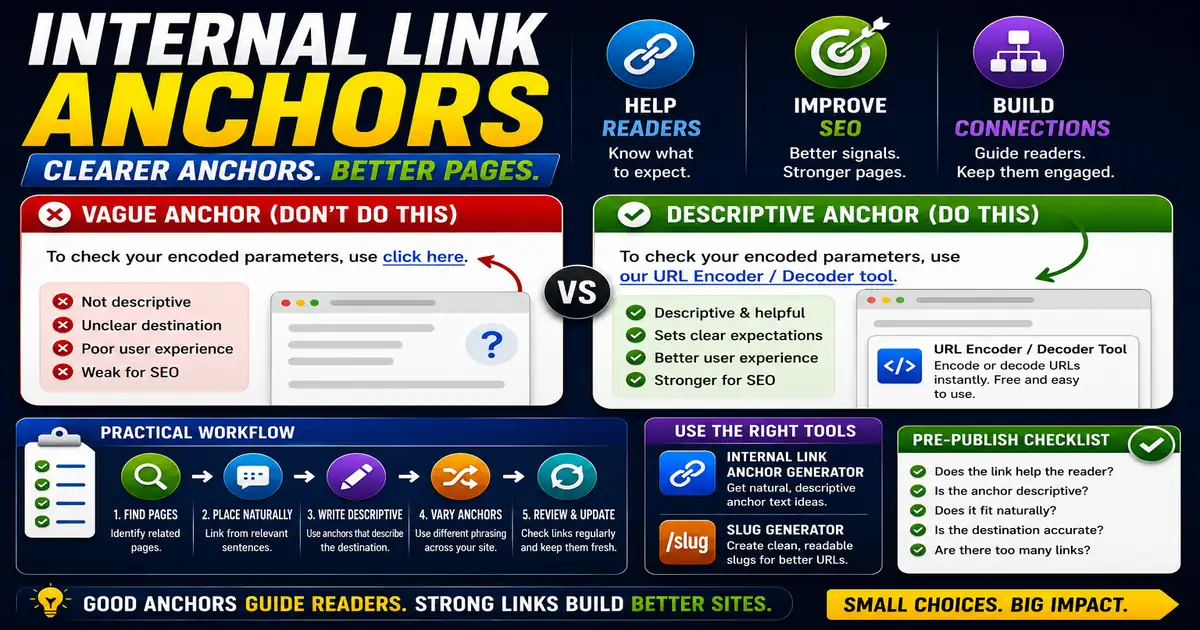
A sentence that says use our URL Encoder / Decoder to check encoded parameters is clearer than a vague click here link.
This is where local tools are useful. They give you a fast way to check one detail without opening a large application or sending your content through an external service. For a focused hands-on check, use the Internal Link Anchor Generator and Slug Generator while reviewing the page.
A Practical Step-by-Step Workflow
Write internal links where they genuinely help the reader continue a task or understand a related concept.
- Identify pages that support the current article.
- Link from relevant sentences, not random blocks.
- Use anchor text that describes the destination.
- Vary phrasing naturally across the site.
- Avoid linking every repeated keyword.
- Review links during content updates.
This workflow can be added to a publishing checklist, a content brief, or a personal editing routine. The exact order may change from one project to another, but the habit of checking before publishing is what protects quality over time.
Practical Example
An article about UTM links can naturally point readers to a URL parser because both tasks involve checking URL details. That link helps the reader continue the workflow.
Common Mistakes to Avoid
When optimizing this element in your drafts, review the final output carefully to avoid errors that compromise readability and search presentation. Watch for these specific mistakes:
- Using click here for important links.
- Overusing exact-match anchors.
- Adding too many links in one paragraph.
- Linking to unrelated pages for SEO only.
- Forgetting to update links when pages move.
Pre-Publish Checklist
Review this focused checklist before publishing your work to ensure all details are correct:
- Use descriptive anchor phrases; avoid generic 'click here' links.
- Vary anchor wording naturally to reflect target page topic.
- Ensure target page is highly relevant to current context.
- Check that internal links use canonical trailing-slash paths.
A Small Workflow Tip
Audit internal links when refreshing older articles. A page that once linked to a broad resource may now have a more specific tool or guide available. Updating the anchor text and destination can make the article more helpful immediately, without changing its main body content or publishing date unnecessarily.
For large updates, keep a short note of which pages received new links. That record helps you revisit the same cluster later and makes it easier to spot pages that still have weak or outdated internal paths.