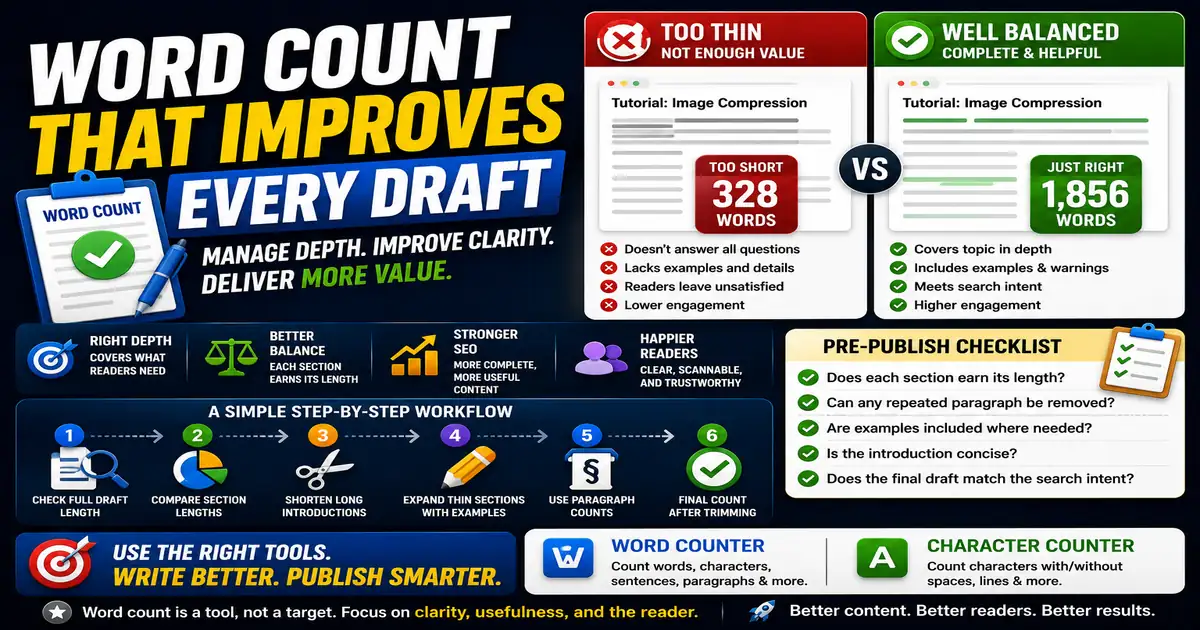
Word count is not a quality score, but it is a useful signal. It helps you notice when an article is too thin, a section is bloated, or an introduction is taking too long to reach the point. This matters for writers, editors, students, and bloggers improving draft quality because small publishing decisions compound across a site over time.
The Core Idea
The core idea is simple: word count helps you manage depth and proportion, not chase arbitrary length targets. When this idea is applied consistently, the page feels more intentional and the publishing process becomes less dependent on memory or guesswork.
Why It Matters in Practice
If a tutorial promises a complete workflow but only has 300 words, it may not answer enough follow-up questions. If the introduction alone is 600 words, readers may leave before reaching the useful steps.
This is where local tools are useful. They give you a fast way to check one detail without opening a large application or sending your content through an external service. For a focused hands-on check, use the Word Counter and Character Counter while reviewing the page.
A Practical Step-by-Step Workflow
The most helpful way to use counts is to check the shape of the draft at different editing stages.
- Check the full draft length after the first version.
- Compare section lengths to the importance of each idea.
- Shorten introductions that repeat the title.
- Expand thin sections with examples or warnings.
- Use paragraph counts to spot walls of text.
- Run a final count after trimming.
This workflow can be added to a publishing checklist, a content brief, or a personal editing routine. The exact order may change from one project to another, but the habit of checking before publishing is what protects quality over time.
Practical Example
A content brief might ask for a complete guide, but the first draft may spend half its words on background. A word count by section shows where to cut and where to add practical detail.
Common Mistakes to Avoid
When optimizing this element in your drafts, review the final output carefully to avoid errors that compromise readability and search presentation. Watch for these specific mistakes:
- Treating longer content as automatically better.
- Padding a page with repeated points.
- Ignoring section balance.
- Forgetting that short reference pages can be useful.
- Editing only for word count instead of clarity.
Pre-Publish Checklist
Review this focused checklist before publishing your work to ensure all details are correct:
- Analyze word count to ensure depth matches competitor averages.
- Identify and trim repetitive paragraphs or filler phrases.
- Check character counts to respect platform-specific limits.
- Use subheadings and lists to break up long text blocks.
A Small Workflow Tip
Try tracking word count by section instead of only checking the final total. If the introduction is longer than the main solution, the article probably needs trimming. If the most important section is the shortest, it may need an example, a warning, or a clearer explanation. Section-level review keeps the focus on usefulness rather than raw article length.