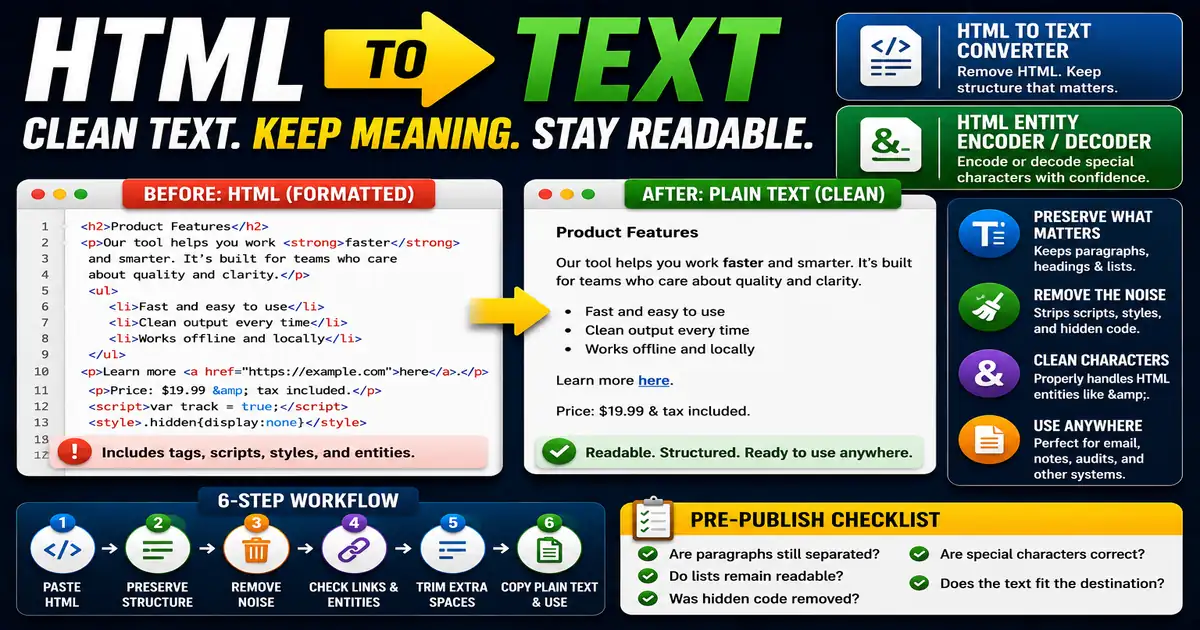
Plain text is still useful. You may need it for email drafts, quick notes, content audits, imported descriptions, or systems that do not accept HTML. This matters for content editors, bloggers, marketers, and support teams cleaning copied content because small publishing decisions compound across a site over time.
The Core Idea
The core idea is simple: good conversion removes tags while preserving the reading order and useful breaks between headings, paragraphs, and list items. When this idea is applied consistently, the page feels more intentional and the publishing process becomes less dependent on memory or guesswork.
Why It Matters in Practice
A product description copied from a CMS might include headings, links, and lists. A clean text version should not become one unreadable paragraph.
This is where local tools are useful. They give you a fast way to check one detail without opening a large application or sending your content through an external service. For a focused hands-on check, use the HTML to Text Converter and HTML Entity Encoder / Decoder while reviewing the page.
A Practical Step-by-Step Workflow
Before conversion, decide whether you need a readable draft, a compact summary, or raw text for another tool.
- Paste the HTML into the converter.
- Preserve paragraph and list breaks where possible.
- Remove scripts, styles, and hidden clutter.
- Review link text after tags are removed.
- Trim extra blank lines.
- Copy the plain text into the destination.
This workflow can be added to a publishing checklist, a content brief, or a personal editing routine. The exact order may change from one project to another, but the habit of checking before publishing is what protects quality over time.
Practical Example
A newsletter editor may need the plain-text version of a blog excerpt. Good conversion keeps the paragraphs readable while removing the tags that belong only on the website.
Common Mistakes to Avoid
When optimizing this element in your drafts, review the final output carefully to avoid errors that compromise readability and search presentation. Watch for these specific mistakes:
- Using a tag remover that collapses everything together.
- Keeping script or style content.
- Losing list separation.
- Forgetting to review entities such as ampersands.
- Assuming converted text is ready without editing.
Pre-Publish Checklist
Review this focused checklist before publishing your work to ensure all details are correct:
- Strip all HTML tags while preserving line breaks.
- Convert list items to hyphenated plain text lines.
- Remove script and style block content completely.
- Replace HTML entities (like & or >) with normal text.
A Small Workflow Tip
After conversion, scan the result from top to bottom instead of only checking the first paragraph. Problems often appear in lists, link-heavy sections, or copied captions. A clean plain-text version should still preserve the order of ideas. If the structure is hard to follow, add line breaks manually before using it elsewhere.
If the text will be reused in email, support replies, or social captions, read it once without the original HTML nearby. That forces the plain-text version to stand on its own instead of relying on formatting that no longer exists.