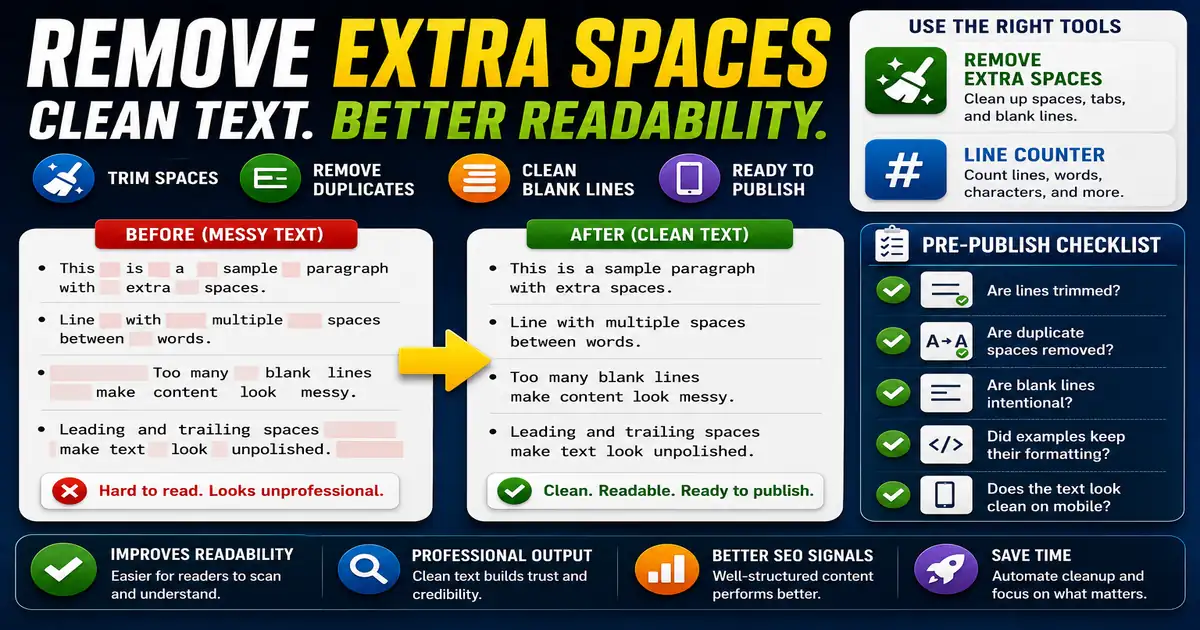
Extra spaces are easy to miss while drafting, especially after copying from documents, PDFs, emails, or spreadsheets. Readers may not name the problem, but messy spacing makes content feel less polished. This matters for bloggers, editors, marketers, and anyone preparing final copy because small publishing decisions compound across a site over time.
The Core Idea
The core idea is simple: spacing cleanup makes text easier to read, paste, compare, and publish without changing the message. When this idea is applied consistently, the page feels more intentional and the publishing process becomes less dependent on memory or guesswork.
Why It Matters in Practice
A list copied from a spreadsheet may include leading spaces, double spaces, and several blank lines between items. Cleaning it makes the list ready for a blog post or email.
This is where local tools are useful. They give you a fast way to check one detail without opening a large application or sending your content through an external service. For a focused hands-on check, use the Remove Extra Spaces and Line Counter while reviewing the page.
A Practical Step-by-Step Workflow
Spacing cleanup should happen near the end of editing, after content changes have settled.
- Paste the draft into a spacing cleaner.
- Trim leading and trailing spaces on each line.
- Replace repeated spaces with a single space where appropriate.
- Reduce excessive blank lines.
- Review poetry, code, or formatted examples before applying broad changes.
- Copy the cleaned text back into the editor.
This workflow can be added to a publishing checklist, a content brief, or a personal editing routine. The exact order may change from one project to another, but the habit of checking before publishing is what protects quality over time.
Practical Example
A final blog draft may look fine in a wide editor but show awkward gaps on a phone. Cleaning spaces and blank lines before previewing makes the mobile review more reliable.
Common Mistakes to Avoid
When optimizing this element in your drafts, review the final output carefully to avoid errors that compromise readability and search presentation. Watch for these specific mistakes:
- Removing meaningful indentation from code.
- Collapsing line breaks inside addresses or poems.
- Cleaning before major edits and creating new spacing problems later.
- Ignoring non-breaking spaces from copied web content.
- Skipping a final visual preview.
Pre-Publish Checklist
Review this focused checklist before publishing your work to ensure all details are correct:
- Remove consecutive double spaces from draft paragraphs.
- Trim leading and trailing blank spaces from lines.
- Clean copy-pasted text to standard format blocks.
- Read copy aloud to verify punctuation and word flow.
A Small Workflow Tip
Preview cleaned text in the place where it will actually appear. A paragraph that looks fine in a text box may wrap differently inside a narrow blog column or sidebar. Final spacing is a visual and readability decision, so combine automated cleanup with a real page preview before considering the copy finished.