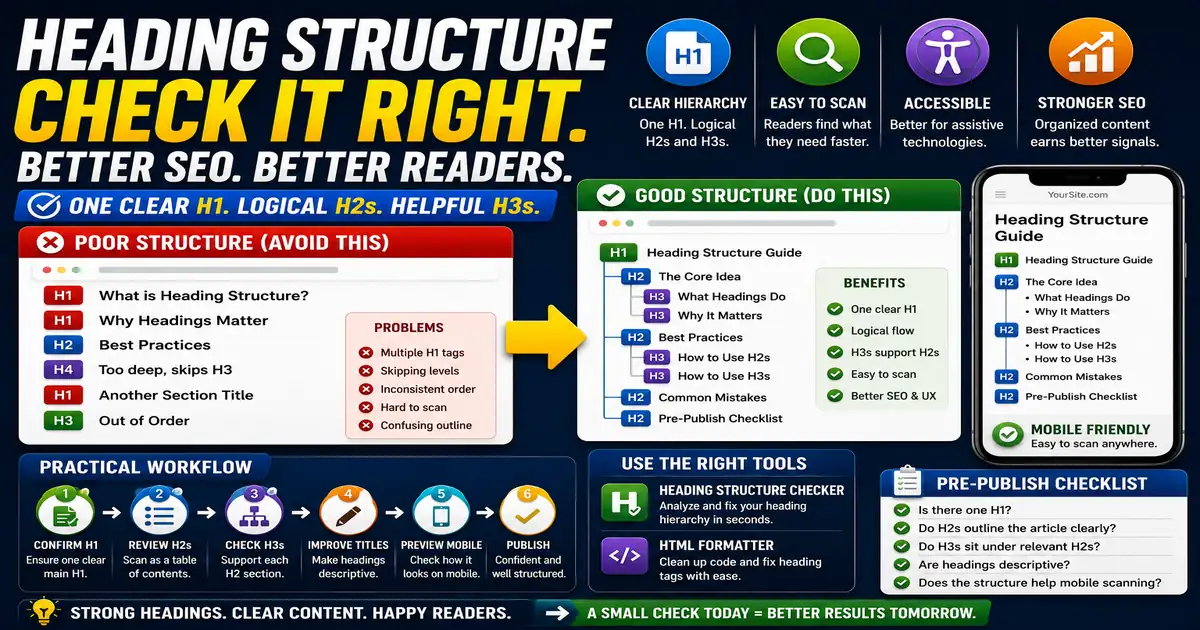
Headings are the skeleton of a page. They help readers scan, assistive technologies navigate, and editors verify that the article follows a logical order. This matters for content editors, bloggers, accessibility-minded site owners, and SEO teams because small publishing decisions compound across a site over time.
The Core Idea
The core idea is simple: a good heading structure has one clear H1, meaningful H2 sections, and H3 subsections that support their parent topics. When this idea is applied consistently, the page feels more intentional and the publishing process becomes less dependent on memory or guesswork.
Why It Matters in Practice
An article may look attractive but have three H1 tags because visual styles were copied from different templates. A heading check catches that before publishing.
This is where local tools are useful. They give you a fast way to check one detail without opening a large application or sending your content through an external service. For a focused hands-on check, use the Heading Structure Checker and HTML Formatter while reviewing the page.
A Practical Step-by-Step Workflow
Check headings after the main draft is complete and again after pasting into the CMS.
- Confirm the page has one main H1.
- Scan H2 headings as a table of contents.
- Use H3 headings only when they support an H2 section.
- Avoid skipping levels for visual size.
- Rewrite vague headings so they describe the section.
- Preview the final page on mobile.
This workflow can be added to a publishing checklist, a content brief, or a personal editing routine. The exact order may change from one project to another, but the habit of checking before publishing is what protects quality over time.
Practical Example
A tutorial with one H1, several task-focused H2 sections, and a few supporting H3 notes is easier to scan than a page where every styled line is marked as a heading.
Common Mistakes to Avoid
When optimizing this element in your drafts, review the final output carefully to avoid errors that compromise readability and search presentation. Watch for these specific mistakes:
- Using multiple H1 tags for styling.
- Skipping from H2 to H4 without a reason.
- Writing headings that are too clever to explain the section.
- Using bold paragraphs instead of real headings.
- Creating too many tiny sections.
Pre-Publish Checklist
Review this focused checklist before publishing your work to ensure all details are correct:
- Verify the page has exactly one H1 tag.
- Check that headers follow logical order (H2 then H3).
- Do not skip heading levels (e.g., avoid jumping H1 to H3).
- Keep heading text short, clear, and keyword-relevant.
A Small Workflow Tip
Read only the headings once before publishing. If the article still makes sense as an outline, the structure is probably strong. If the headings sound like isolated labels or repeat the same phrase, rewrite them before editing paragraphs. Strong headings make mobile reading easier because many visitors scan before committing.