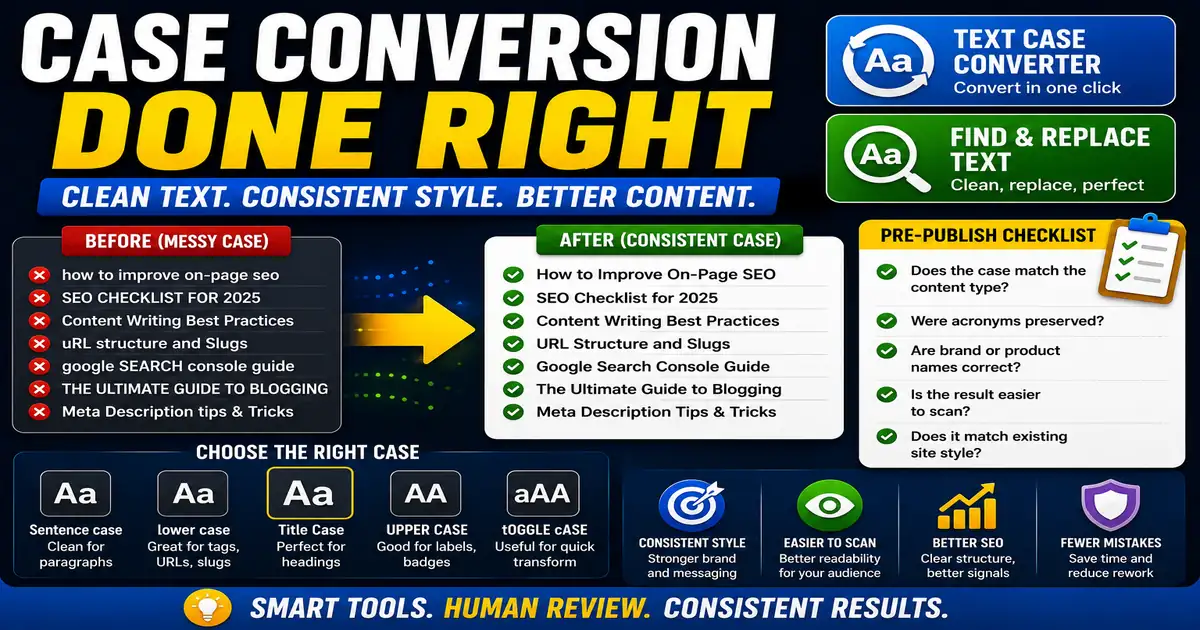
Case problems are small until they appear across dozens of headings, product names, tags, or spreadsheet exports. Fixing them manually is slow and easy to get wrong. This matters for content editors, bloggers, ecommerce managers, and anyone cleaning text lists because small publishing decisions compound across a site over time.
The Core Idea
The core idea is simple: case conversion speeds up repetitive edits while helping teams keep a consistent content style. When this idea is applied consistently, the page feels more intentional and the publishing process becomes less dependent on memory or guesswork.
Why It Matters in Practice
A keyword export may contain phrases in all caps, lowercase, and random title case. Converting them before review makes the list easier to scan and reuse.
This is where local tools are useful. They give you a fast way to check one detail without opening a large application or sending your content through an external service. For a focused hands-on check, use the Text Case Converter and Find and Replace Text while reviewing the page.
A Practical Step-by-Step Workflow
Use case conversion for cleanup, then apply human judgment for names, acronyms, and brand terms.
- Paste the text into the converter.
- Choose the case format that matches the destination.
- Scan names and acronyms after conversion.
- Use sentence case for descriptions and title case for many headings.
- Copy the cleaned text back into your editor.
- Save a style note for repeated workflows.
This workflow can be added to a publishing checklist, a content brief, or a personal editing routine. The exact order may change from one project to another, but the habit of checking before publishing is what protects quality over time.
Practical Example
A list of draft article titles can be normalized before a content planning meeting. Editors still review proper nouns, but the list becomes easier to compare when the basic case is consistent.
Common Mistakes to Avoid
When optimizing this element in your drafts, review the final output carefully to avoid errors that compromise readability and search presentation. Watch for these specific mistakes:
- Blindly converting brand names.
- Using title case for long paragraphs.
- Forgetting acronyms such as SEO, URL, or HTML.
- Mixing different heading styles on one page.
- Changing meaning by altering proper nouns.
Pre-Publish Checklist
Review this focused checklist before publishing your work to ensure all details are correct:
- Convert headers to Title Case consistently across drafts.
- Change bulk text to lowercase for slug preparation.
- Correct accidental caps-lock errors in pasted lists.
- Verify sentence capitalization after case conversion.
A Small Workflow Tip
Build a short capitalization guide for repeated content types. Decide how article titles, tool names, button labels, categories, and exported lists should look. Then use conversion tools to get close quickly and human review to handle exceptions. This prevents small inconsistencies from spreading across navigation, cards, headings, and admin-managed content.