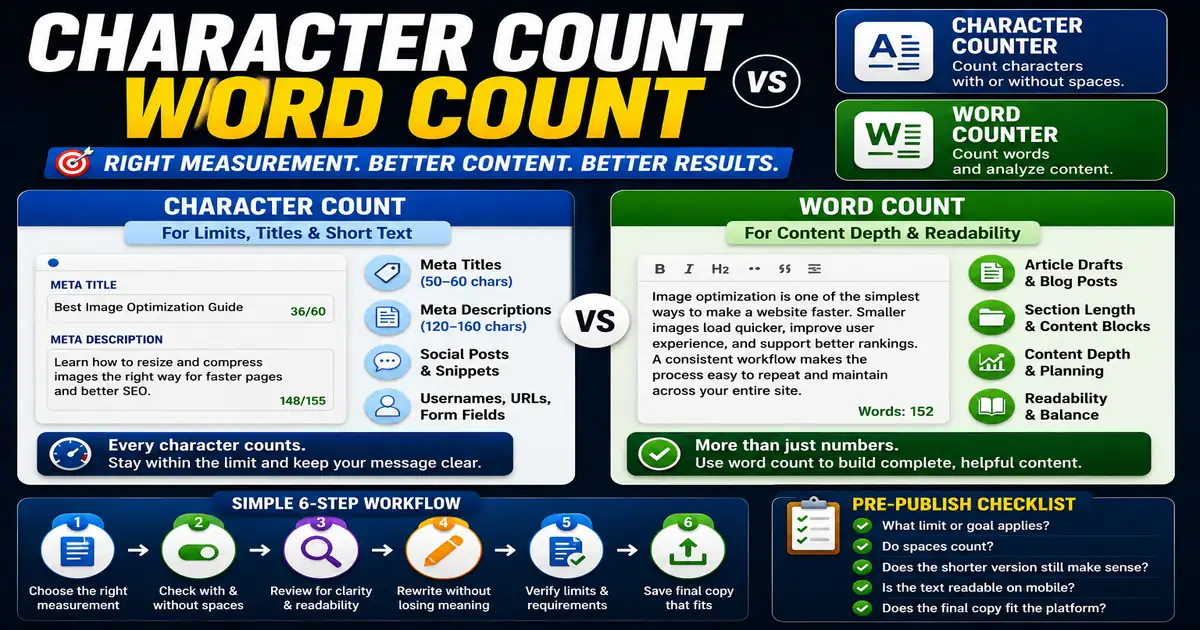
Character count and word count are often mentioned together, but they solve different problems. Word count measures content depth, while character count helps with strict limits and compact interface text. This matters for writers, marketers, social media editors, and SEO content creators because small publishing decisions compound across a site over time.
The Core Idea
The core idea is simple: use word count to evaluate article substance and character count to fit titles, descriptions, messages, and fields. When this idea is applied consistently, the page feels more intentional and the publishing process becomes less dependent on memory or guesswork.
Why It Matters in Practice
A meta title may need a character check, while a blog draft needs a word count review. The same sentence can be acceptable for one purpose and too long for another.
This is where local tools are useful. They give you a fast way to check one detail without opening a large application or sending your content through an external service. For a focused hands-on check, use the Character Counter and Word Counter while reviewing the page.
A Practical Step-by-Step Workflow
Choose the measurement based on the publishing constraint you are trying to satisfy.
- Use word count for drafts, sections, and content briefs.
- Use character count for titles, descriptions, usernames, and snippets.
- Check counts with and without spaces when platforms differ.
- Review readability after shortening text.
- Avoid trimming meaning just to hit a number.
- Save final versions that meet the destination rules.
This workflow can be added to a publishing checklist, a content brief, or a personal editing routine. The exact order may change from one project to another, but the habit of checking before publishing is what protects quality over time.
Practical Example
A 155-character meta description might be perfect for a search snippet, while a 155-word section may be too short to explain a technical concept. The right counter depends on the task.
Common Mistakes to Avoid
When optimizing this element in your drafts, review the final output carefully to avoid errors that compromise readability and search presentation. Watch for these specific mistakes:
- Using word count for fields that have character limits.
- Ignoring spaces in strict character limits.
- Shortening text until it becomes unclear.
- Comparing articles only by word count.
- Forgetting that punctuation also counts in many fields.
Pre-Publish Checklist
Review this focused checklist before publishing your work to ensure all details are correct:
- Check if guidelines specify word count or character limit.
- Verify character metrics include or exclude spaces.
- Estimate reading time using word count as a base.
- Respect strict metadata limits when optimizing titles.
A Small Workflow Tip
When editing snippets, count first and rewrite second. Seeing the character count early prevents you from polishing a sentence that will not fit. For longer articles, reverse the habit: draft first, then use word count to judge balance and depth. The measurement should support the writing stage instead of interrupting it.